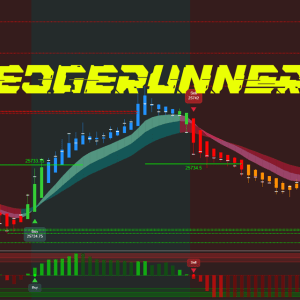
Automated account protection: locks trading and exits positions at limits.
$298.00
Instant Access
Free Forever
Fast Response
Step-by-Step Setup
ProEdge Guardian: Professional Account Protection & Risk Management (Only works on Pro Edge Trading strategies)
ProEdge Guardian is your automated safety net for NinjaTrader 8. This powerful indicator monitors your account in real-time and automatically locks trading when you hit your daily profit target or loss limit—protecting your gains and preventing catastrophic drawdowns. Unlike manual monitoring, Guardian never sleeps, never gets distracted, and reacts instantly when your thresholds are reached.
Set It and Forget It
Simply select your account, set your profit target and loss limit (NET after commissions), and let Guardian do the rest. The moment your account reaches either threshold, Guardian immediately cancels all working orders and flattens all open positions—then continues monitoring to prevent any new trades from entering. No strategy code changes required. No complicated setup. Just pure, automated protection.
Professional Visual Monitoring
Guardian’s sleek HUD displays everything you need at a glance: current account balance, session P&L, total P&L, commission status, profit target progress, and lock status. The color-coded interface instantly shows whether you’re ARMED (actively monitoring), LOCKED (target hit), or INACTIVE (outside trading hours). Track your statistics including successful cancels and position flattens, so you always know your Guardian is working.
Multi-Strategy Coordination
Trading multiple strategies on the same account? No problem. Guardian monitors your entire account across all charts and strategies, preventing conflicts and enforcing consistent risk management. Optional blocking features prevent hedging (perfect for prop firm rules like Apex PA), duplicate same-direction entries, and opposite positions on the same instrument—giving you complete control over how your strategies interact.
Smart P&L Tracking
Guardian calculates your P&L from actual executions, automatically detecting and subtracting commissions to give you true NET profit tracking. Choose between Realized-only or Realized+Unrealized modes depending on your trading style. The session tracking feature lets you see exactly how much you’ve made since enabling the tool, making it perfect for daily goal tracking.
Built for Professionals
Designed by traders for traders, Guardian includes auto-disable scheduling (automatically stops monitoring at end of day), customizable time windows (only monitor during your active trading hours), and optional strategy auto-disable (stops all registered strategies when account locks). The professional-grade HUD is fully customizable—adjust colors, fonts, position, and visibility of every element to match your workspace.
Peace of Mind
Whether you’re a day trader hitting daily targets, a prop trader following strict rules, or a serious retail trader protecting your capital—ProEdge Guardian ensures you never give back your hard-earned profits or exceed your risk limits. It’s the guardian angel your trading account deserves.
Automated Profit/Loss Protection
Set your daily profit target and loss limit, then let Guardian handle the rest. When thresholds are reached, it instantly cancels all working orders and flattens positions—protecting your gains and preventing devastating losses without any manual intervention.
NET P&L Tracking (After Commissions)
Unlike basic P&L displays, Guardian calculates your true NET profit by automatically detecting and subtracting commissions from your daily results. Know exactly how much you’re actually making, not just gross figures that ignore your costs.
Real-Time Session Monitoring
Track your progress from the moment you enable Guardian. See your starting P&L, session P&L (how much you’ve made since activation), and total daily P&L—all updating in real-time so you always know where you stand against your goals.
Professional Visual HUD
Sleek, customizable display shows everything at a glance: account balance, P&L metrics, commission status, target progress, and lock status. Color-coded indicators (ARMED/LOCKED/INACTIVE) provide instant visual confirmation. Fully customizable fonts, colors, position, and visibility.
Multi-Strategy Coordination (Requires Pro Edge Trading strategies)
Monitors your entire account across all charts and strategies simultaneously. One Guardian protects everything—no need to add protection to each individual strategy. Perfect for traders running multiple automated systems on the same account.
Intelligent Blocking System
Optional features prevent hedging violations (Apex PA compliant), block duplicate same-direction entries from multiple strategies, and prevent opposite positions on the same instrument. Configurable blocking rules ensure your strategies never conflict with your risk management plan.
Execution-Based Calculation
Guardian tracks actual fills rather than relying on account snapshots, providing accurate P&L even during volatile market conditions. Choose Realized-only mode (closed trades) or Realized+Unrealized mode (includes open positions) based on your preference.
Scheduled Auto-Disable
Set a time when Guardian automatically switches to “None” (requires manual re-selection next day). Perfect for ensuring protection doesn’t accidentally stay active overnight or preventing weekend monitoring. Forces intentional daily engagement with your risk settings.
Customizable Time Windows
Only monitor during your active trading hours. Set start/stop times and Guardian remains inactive outside those windows—preventing false locks from overnight gaps or pre-market activity you’re not trading.
Strategy Auto-Disable Option
When enabled, Guardian automatically disables all registered strategies the moment your account locks. Prevents strategies from attempting to place orders while Guardian is enforcing protection, ensuring clean coordination between automation and risk management.
Detailed Statistics Tracking
Monitor Guardian’s performance with built-in statistics: successful order cancels, position flattens, retry attempts, and more. Know your protection system is working and see exactly what actions it’s taken throughout the day.
Commission Status Detection
Guardian automatically detects whether commissions are properly configured in your account. Visual alerts warn you if commissions aren’t being reported (shows “Needs Set”), ensuring your NET profit calculations are accurate before you start trading.
Account Balance Display
See your current account net liquidation value directly in the HUD. Quickly verify you’re trading the account you think you are on and monitor balance changes alongside your daily P&L for complete financial awareness.
Software Requirements
Hardware Requirements
Data Feed Requirements
Brokerage & Account Requirements
Knowledge Requirements
Currently, it works only on NinjaTrader.
Yes. You can set alerts for longs and/or shorts and background changes.
As long as the instrument is available on NinjaTrader, you are able use our software to start trading.
We do. Our Support is FREE (via email). We also have instructional videos and many resources in the Disord.
No. After the purchase of the product is complete there will be no more additional fees. The software is yours for life and you will not be charged again.
We have a 1 to 1, license to computer licensing model. In other words, you are entitled to use one active NinjaTrader machine per license. However, additional licenses are available for laptops, etc. at discounted prices.
No problem. For a nominal service fee of $10 per indicator, per machine, we will get everything updated for you.
Please be advised that all sales are final. No returns, refunds, or exchanges, partial or otherwise, for any reason. Once you have placed your order, there is no returns or credit. You may not return the product and demand a refund, as you were supplied intellectual property in the form of software and copyrighted trading material.
Your software will be available for download immediately after you complete your transaction.
No. Short trial times create an artificial pressure to succeed quickly. Trading is hard enough without this added anxiety.